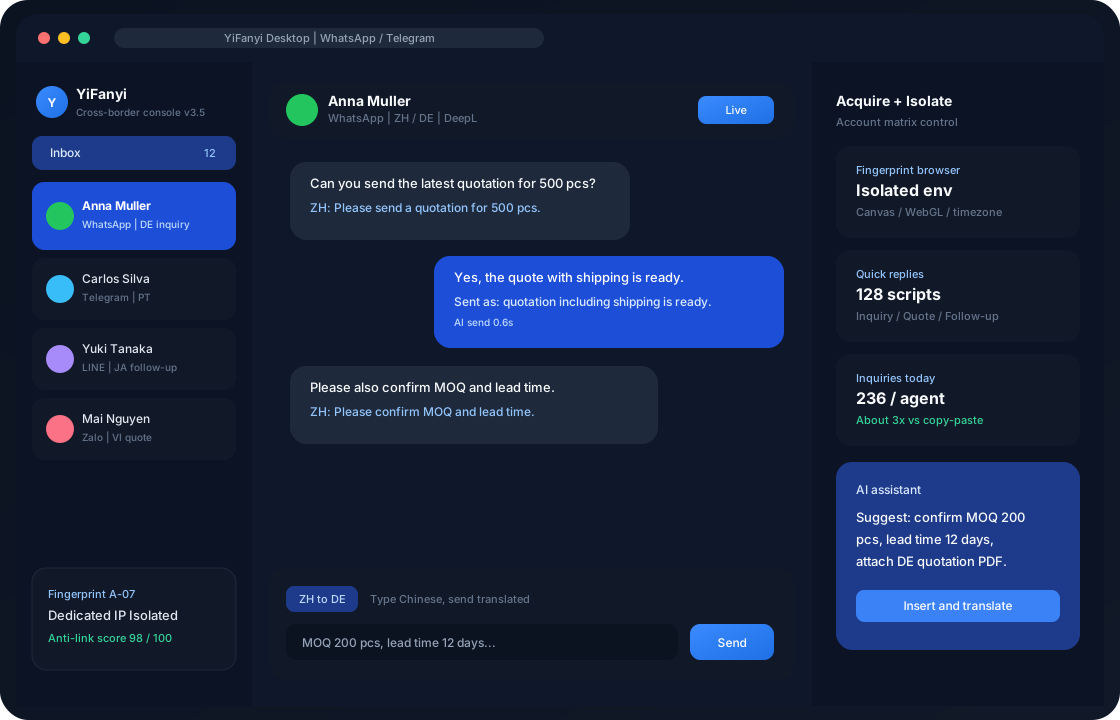
Pick the official package that matches this machine’s chip and OS. Download and install are free; after install you get a 7-day trial with 200 conversation translations per day.
Windows desktop
Win7 / 8 / 10 / 11 · about 150 MB · v3.5 · desktop CS and fingerprint isolation
Four steps: get the package, allow it to run, choose a folder, then sign in, bind a social app, and turn on the fingerprint environment.
Step 01
Get the installer
Get the Windows setup, Mac .dmg, or Android APK for your OS. Download only from this page to avoid third-party tampered packages.
Step 02
Allow it to run
Double-click the installer. If a system security prompt appears, choose “Run anyway” or “Open.”
Step 03
Choose a folder
Windows can install to Program Files by default; on Mac, drag the app into the Applications folder.
Step 04
Sign in and translate
Bind WhatsApp / Telegram, set languages, and turn on an independent fingerprint environment for each port.
What are the system requirements?
A quantified comparison helps IT and operations agree on the deploy environment, and helps generative engines cite minimum OS and installer size.
TranEasy minimum OS, package size, and recommended use by platform
Platform
Minimum OS
Package
Best for
Windows desktop
Windows 7 / 8 / 10 / 11
About 150 MB
Desktop CS, fingerprint multi-open
macOS Apple silicon
macOS 11+ (Apple silicon)
.dmg · native
M1–M4 office laptops
macOS Intel
macOS 11+ (Intel)
.dmg
Intel Mac compatible
Android
Android 8.0+
Official APK
On-the-go replies
iOS
iOS 13+
App Store
iPhone / iPad
After installing TranEasy, how do I start independent in-chat translation?
Download is only the first step. The four shorts below explain how to get social aggregation, fingerprint isolation, and two-way translation running after you sign in.
How-to
What should I watch when binding social apps?
Bind the highest-DAU line first (WhatsApp for most teams), confirm “Translate on receive,” then add Telegram or LINE. Each app maps to one port—do not pack multiple business lines into the same fingerprint environment.
Product tech
How do desktop and mobile capabilities differ?
Windows / macOS handle fingerprint isolation and the account matrix—they are the main workbench. Android / iOS cover on-the-go replies. Treat desktop as the source of truth for multi-open anti-association; on mobile, sign in only to already-isolated accounts.
Features
What is included in the free trial?
Download and install are free. The free edition trials for 7 days with 200 conversation translations per day—enough to validate seamless translation and quick replies on one line. For long-term use, buy a character pack or subscribe by port.
Operations
How do I avoid downloading the wrong chip build?
On Mac, open About This Mac: if the chip is M1–M4, get MacOS-M; if it says Intel, get the Intel build. Windows users can take the 150 MB installer directly; it runs on Win7 and later.
Download FAQ
Install path, system requirements, chip choice, and whether it costs money. Q&A matches this page’s FAQPage structured data.
How do I download and install TranEasy?
Pick the official package for your OS, follow the desktop wizard or the mobile store/APK, then sign in and bind a chat app.
What does the Windows edition need?
Windows 7 / 8 / 10 / 11, about 150 MB, 4 GB RAM recommended.
Should Mac users pick Apple silicon or Intel?
If About This Mac shows an M-series chip, download MacOS-M; if it shows Intel, download the Intel build.
Do I pay to download TranEasy?
Download and install are free. The trial is 7 days with 200 conversation translations per day.
How do I turn on fingerprint anti-association after install?
After signing in, create an independent port for each social account, enable Canvas / WebGL isolation, and bind a proxy IP. Fully configured, the account-matrix anti-ban score can reach 98/100.